用户

手册

user-guide

用户

手册

A simple character with a round head and orange body holding an open book, focusing on reading.
user-guide
user-guide
Gray downward arrow icon.

快速了解

Gray downward arrow icon.

基础操作

Gray downward arrow icon.

插入主题元素

Gray downward arrow icon.

调整导图样式

Gray downward arrow icon.

调整全局格式

Gray downward arrow icon.

查看与显示

Gray downward arrow icon.

文件

Gray downward arrow icon.

分享

Gray downward arrow icon.

协作与同步

Gray downward arrow icon.

AI 功能

Gray downward arrow icon.

更多模式与功能

Gray downward arrow icon.

常见问题解答

智能辅助线

智能对齐功能可帮助你在编辑思维导图时精确对齐主题。它确保布局更简洁,并使你的思维导图在视觉上整齐美观。

开启智能辅助线

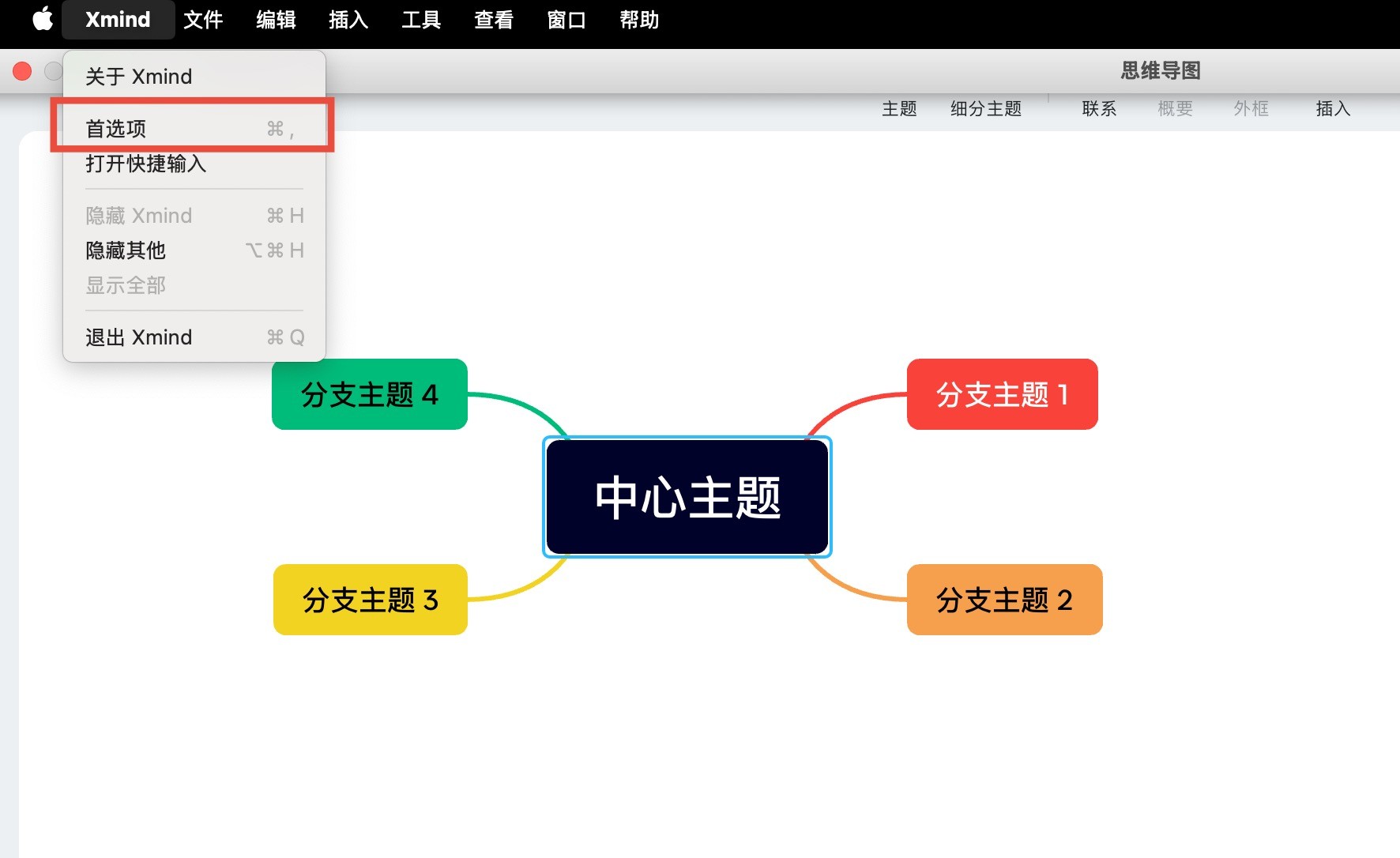
  1. MacBook: 点击左上角菜单栏 Xmind 按钮,点击首选项

Xmind思维导图界面
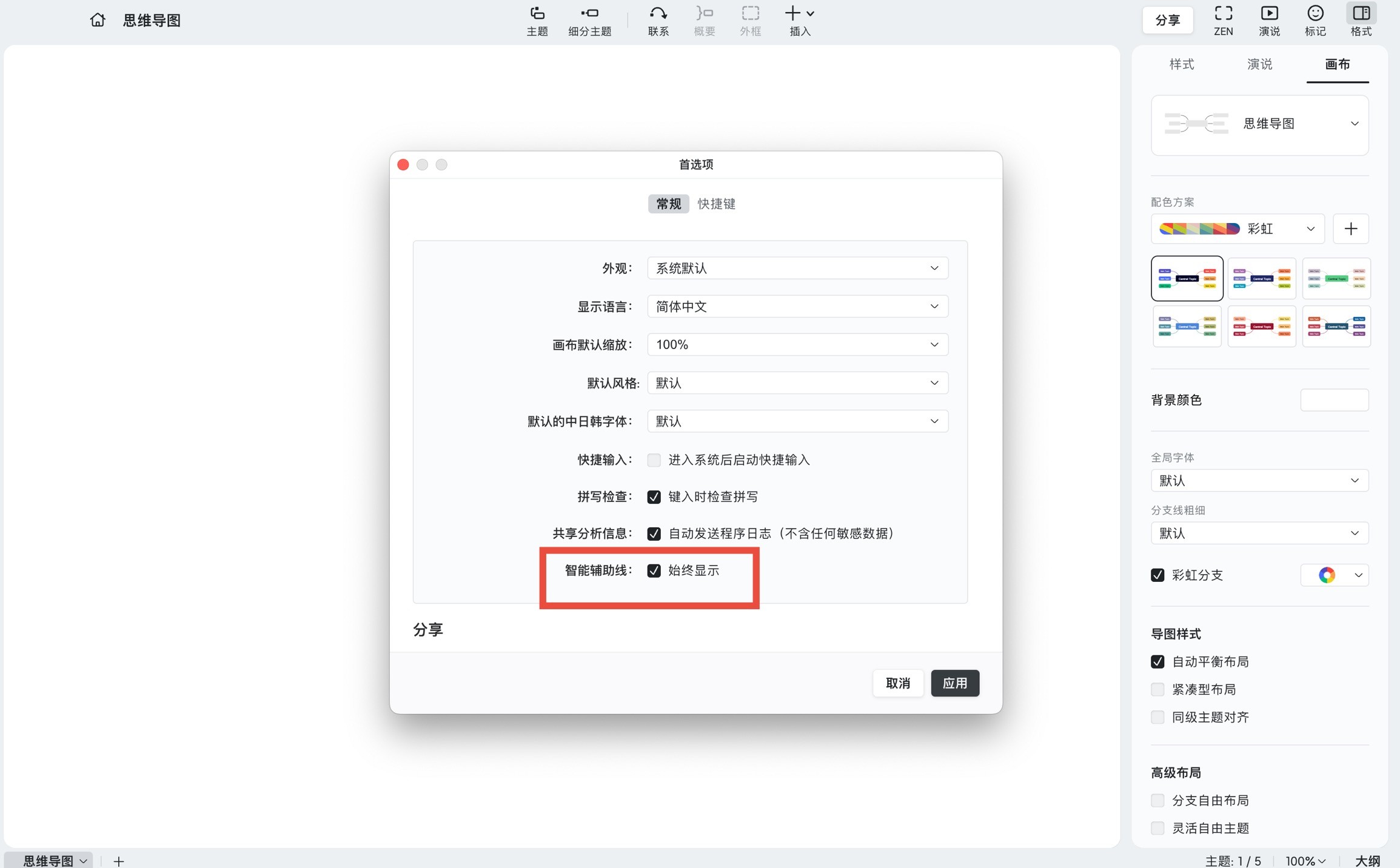
  1. 首选项面板的常规设置中,找到智能辅助线,勾选 ☑️始终显示 以激活该功能。

智能辅助线设置界面

效果预览

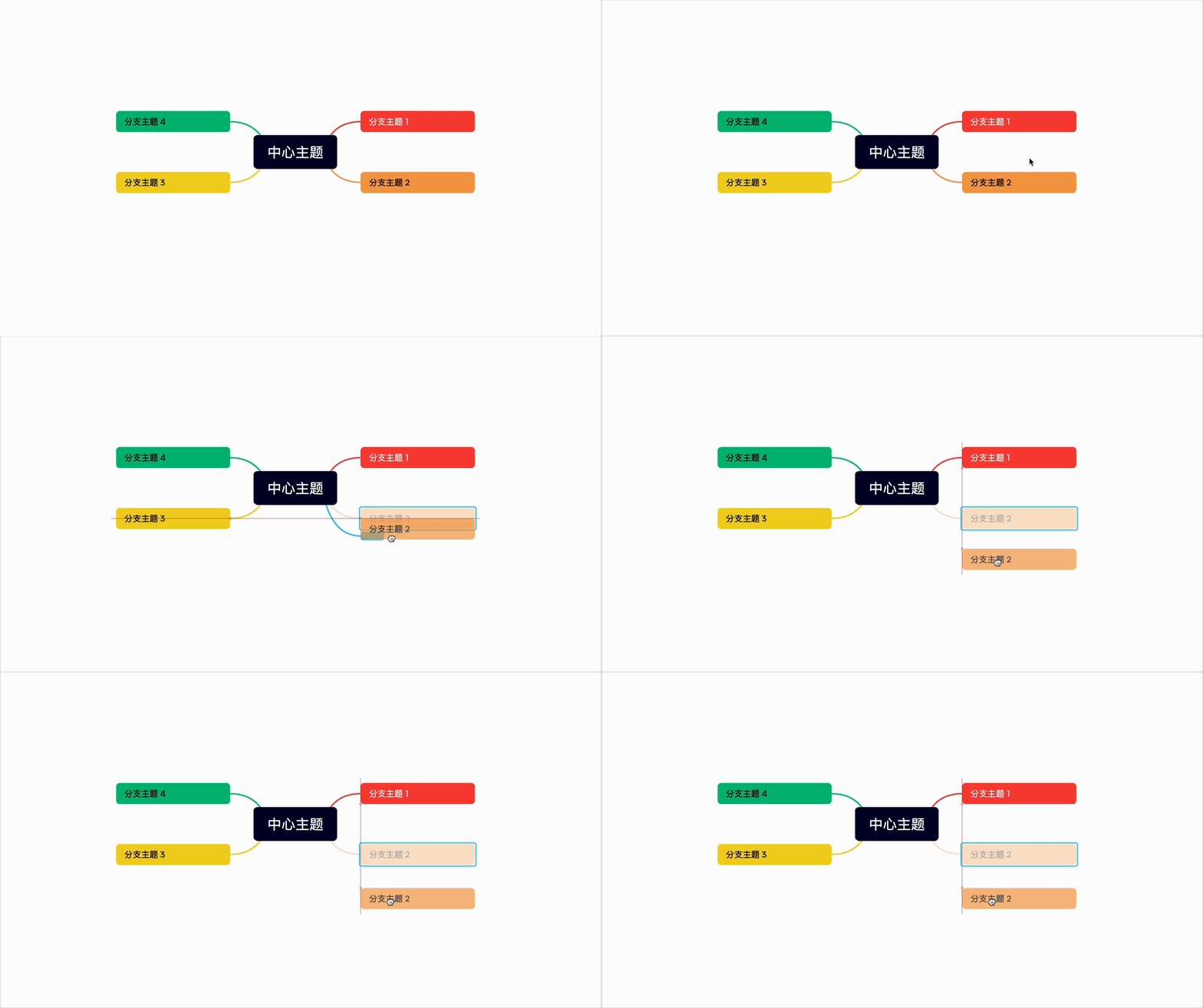
编辑时,智能辅助线将自动出现,在拖动主题时帮助你对齐其他主题,从而更轻松地保持导图的整洁和美观。

思维导图示意图