


通用设置
1、在 Mac 上,点击 Xmind > 设置打开设置面板;在 Windows 上,点击工具栏左上角汉堡菜单 > 设置。也可以使用快捷键 Command + ,(Mac)或 Control + ,(Windows)。
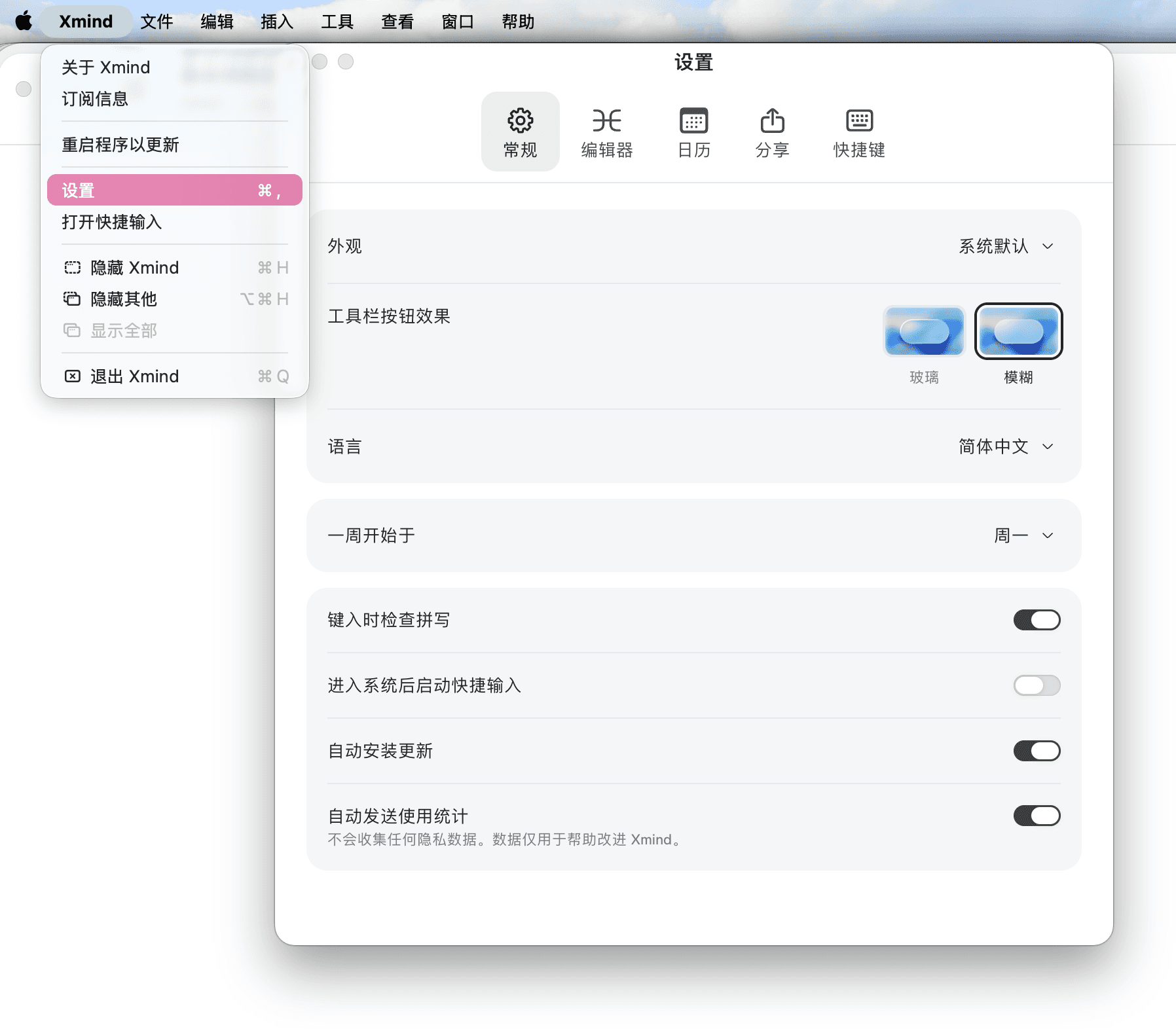
2、调整所需设置选项。
外观:默认跟随系统、浅色、深色
显示语言:英语、简体中文、繁体中文、德语、法语、日语、西班牙语、印尼语、意大利语、韩语、葡萄牙语、泰语、俄语
默认缩放比例:300%、200%、150%、120%、100%、80%、50%
默认风格:默认、最近一次使用的骨架和配色方案
默认的中日韩字体:多种系统或自安装字体可选
是否自动检查软件更新:自动下载并安装更新、自动下载更新,并提醒安装、关闭自动更新
可勾选选项:进入系统后启动快速输入(仅 macOS 支持)、输入时检查拼写、自动发送使用统计信息(不包括私人数据)
3、重新选择选项后,点击“应用”,完成设置。
分享设置
用户在分享板块,鼠标悬停到相应的分享图标上,可选择隐藏部分分享选项,如 Email, Evernote。

