用户

手册

user-guide

用户

手册

A simple character with a round head and orange body holding an open book, focusing on reading.
user-guide
user-guide
Gray downward arrow icon.

快速了解

Gray downward arrow icon.

基础操作

Gray downward arrow icon.

插入主题元素

Gray downward arrow icon.

调整导图样式

Gray downward arrow icon.

调整全局格式

Gray downward arrow icon.

查看与显示

Gray downward arrow icon.

文件

Gray downward arrow icon.

分享

Gray downward arrow icon.

协作与同步

Gray downward arrow icon.

AI 功能

Gray downward arrow icon.

更多模式与功能

Gray downward arrow icon.

常见问题解答

/

/

生成解释

生成解释

生成解释可让你直接在导图中快速解读节点信息,无需另外打开浏览器搜索复杂概念。AI 生成的解释可以添加为笔记。

如何使用生成解释

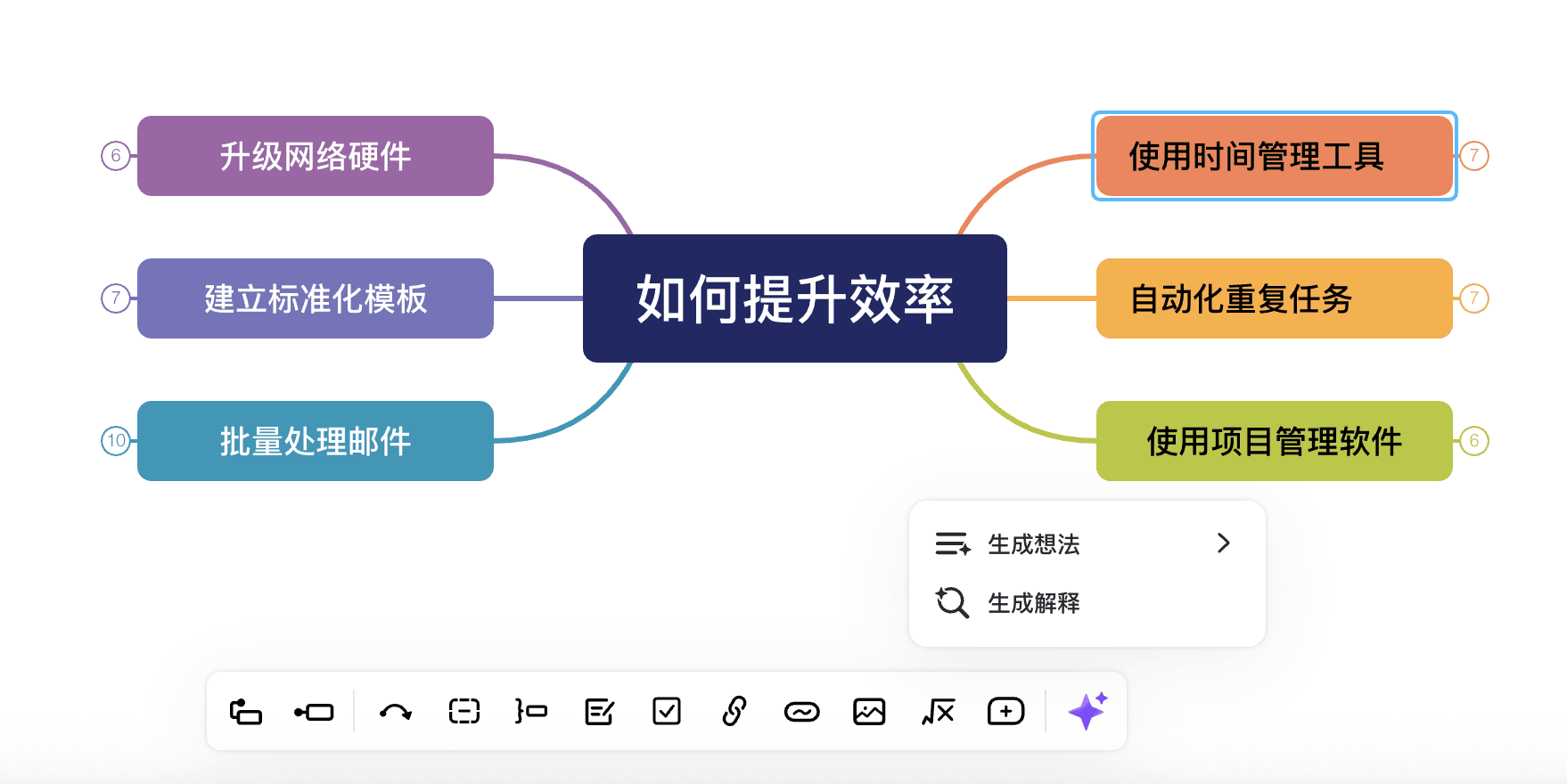
  1. 选择你想要生成解释的主题/子主题。

  2. 你有两种方法激活“生成解释”功能。

  • 点击底部工具栏的“✨”标志,点击生成解释

思维导图提升效率
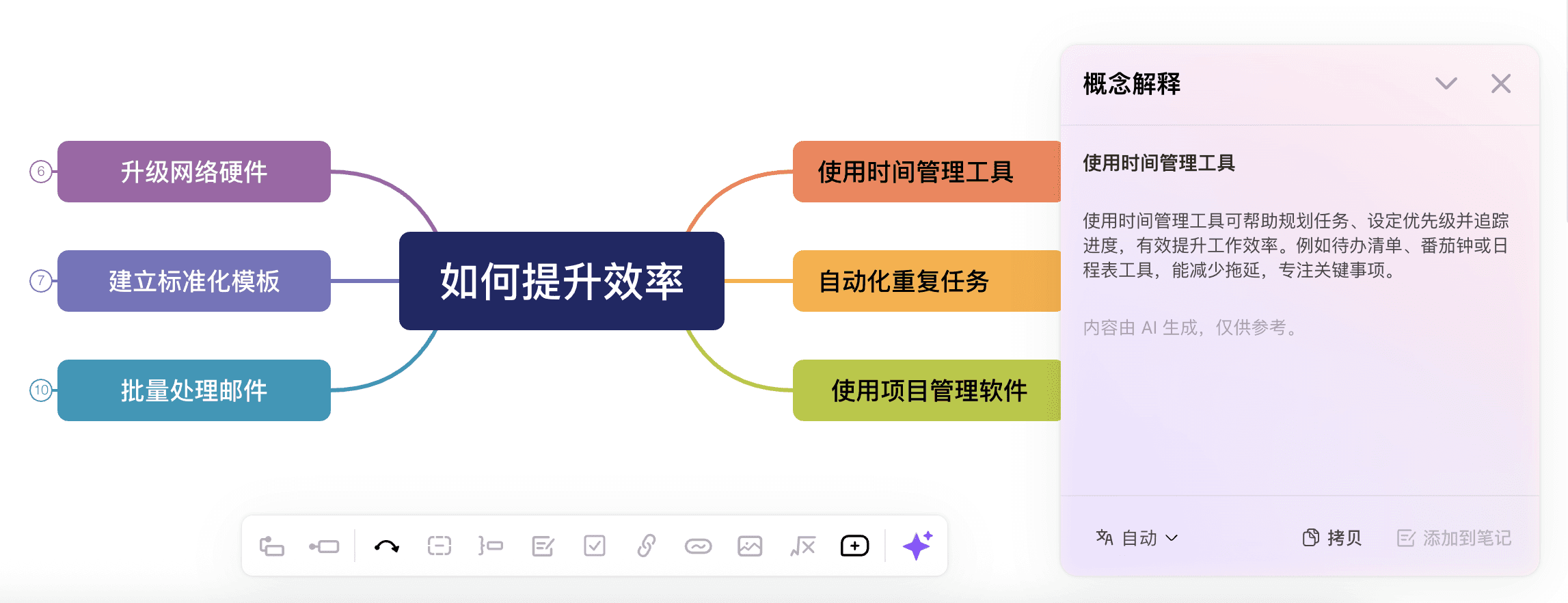
  • 或者你可以右键单击想要进行解释的主题,点击生成解释

思维导图与解释生成
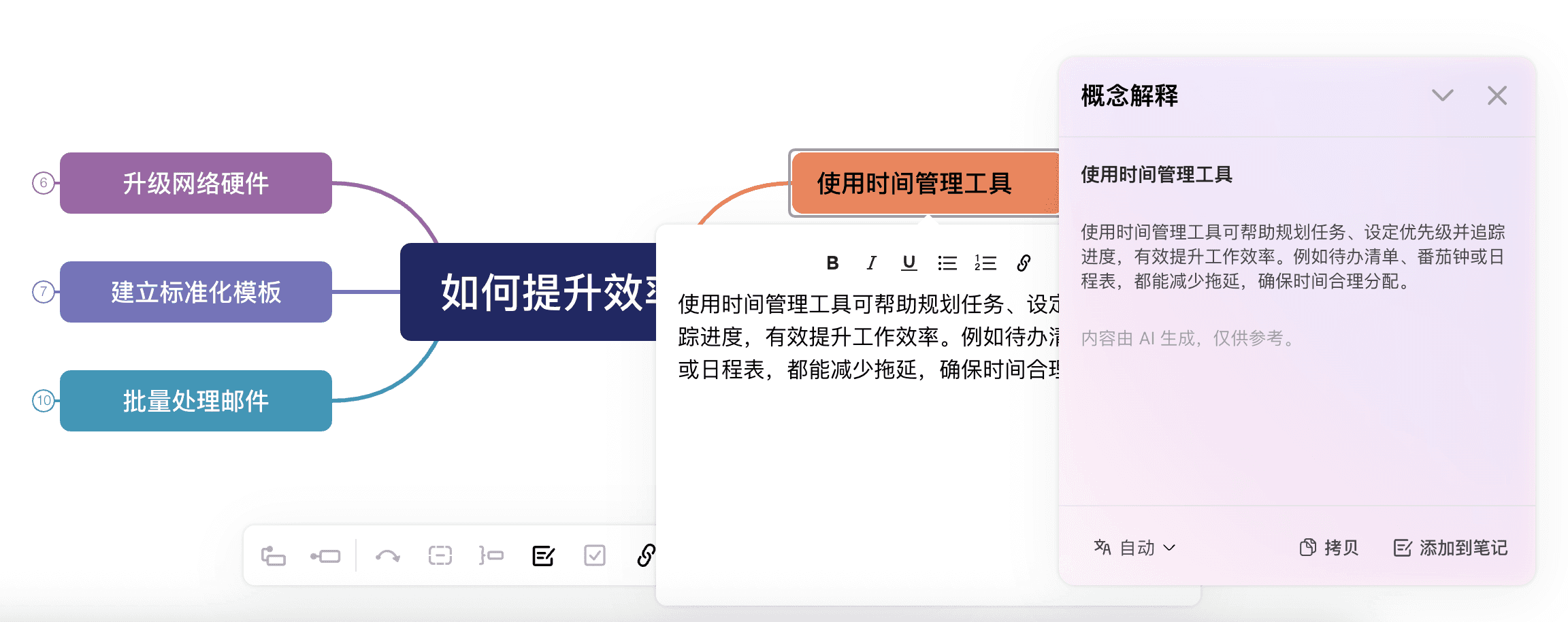
  1. 生成解释后,你可以复制它或点击添加到笔记直接将笔记添加到该主题。

生成解释和笔记图示