用户

手册

user-guide

用户

手册

A simple character with a round head and orange body holding an open book, focusing on reading.
user-guide
user-guide
Gray downward arrow icon.

快速了解

Gray downward arrow icon.

基础操作

Gray downward arrow icon.

插入主题元素

Gray downward arrow icon.

调整导图样式

Gray downward arrow icon.

调整全局格式

Gray downward arrow icon.

查看与显示

Gray downward arrow icon.

文件

Gray downward arrow icon.

分享

Gray downward arrow icon.

协作与同步

Gray downward arrow icon.

AI 功能

Gray downward arrow icon.

更多模式与功能

Gray downward arrow icon.

常见问题解答

添加/删除标注

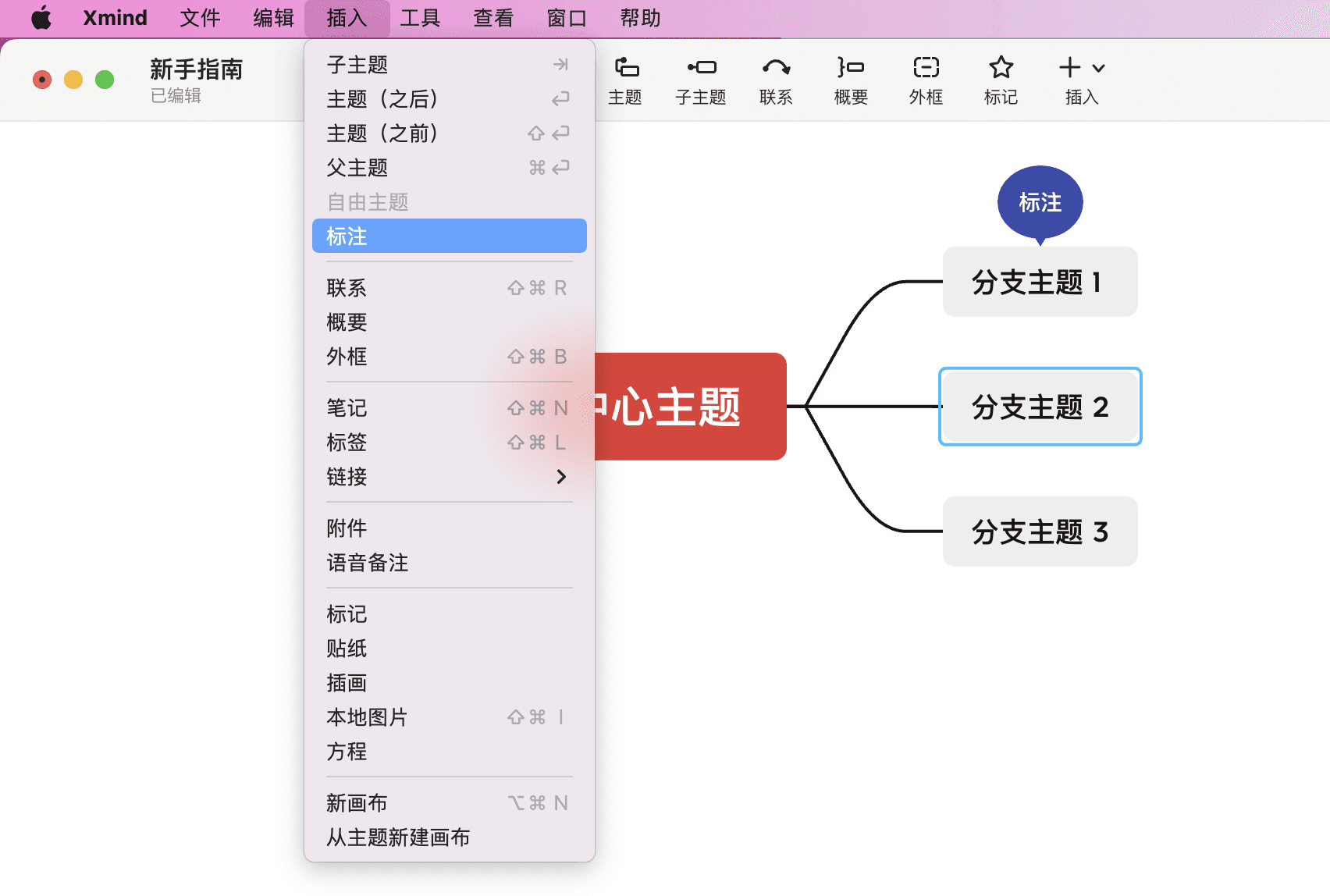
添加标注

操作方法

  • 选中主題,在菜单栏中点击标注进行添加。

Xmind 软件界面展示
  • 自定义快捷键添加。

注意:可以在菜单栏中的首选项 > 快捷键中自定义快捷键。

删除标注

选中标注,按快捷键Delete右键 > 删除即可。

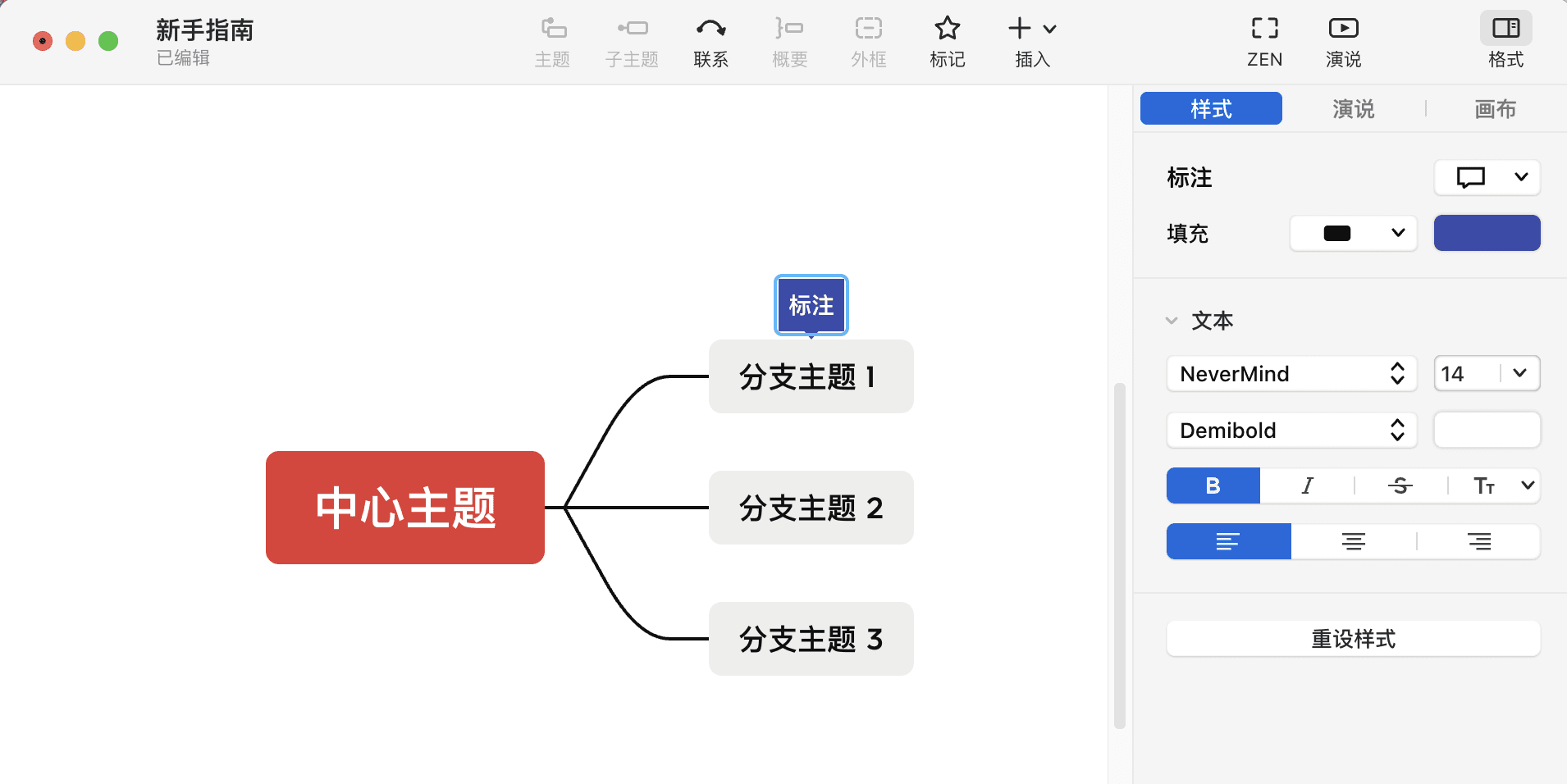
修改标注属性

选中标注,在右侧格式菜单栏中的样式里进行修改。

思维导图示例图

操作方法

  • 修改标注的形状。有圆角、椭圆、矩形起泡形状可选。

  • 修改标注的填充颜色。

  • 标注描述文字的字体、颜色、大小等文字样式。

  • 如果修改完不满意,想恢复模版自带的样式,可以点击重设样式进行恢复。