用户

手册

user-guide

用户

手册

A simple character with a round head and orange body holding an open book, focusing on reading.
user-guide
user-guide
Gray downward arrow icon.

快速了解

Gray downward arrow icon.

基础操作

Gray downward arrow icon.

插入主题元素

Gray downward arrow icon.

调整导图样式

Gray downward arrow icon.

调整全局格式

Gray downward arrow icon.

查看与显示

Gray downward arrow icon.

文件

Gray downward arrow icon.

分享

Gray downward arrow icon.

协作与同步

Gray downward arrow icon.

AI 功能

Gray downward arrow icon.

更多模式与功能

Gray downward arrow icon.

常见问题解答

待办事项

添加/删除待办事项

添加待办事项

操作方法

  • 方式1:选择主题并右键单击,选择待办事项

✏️ 注意

⚠️ : 在中心主题中添加待办事项,以便跟进项目进度。

🎬 视频链接

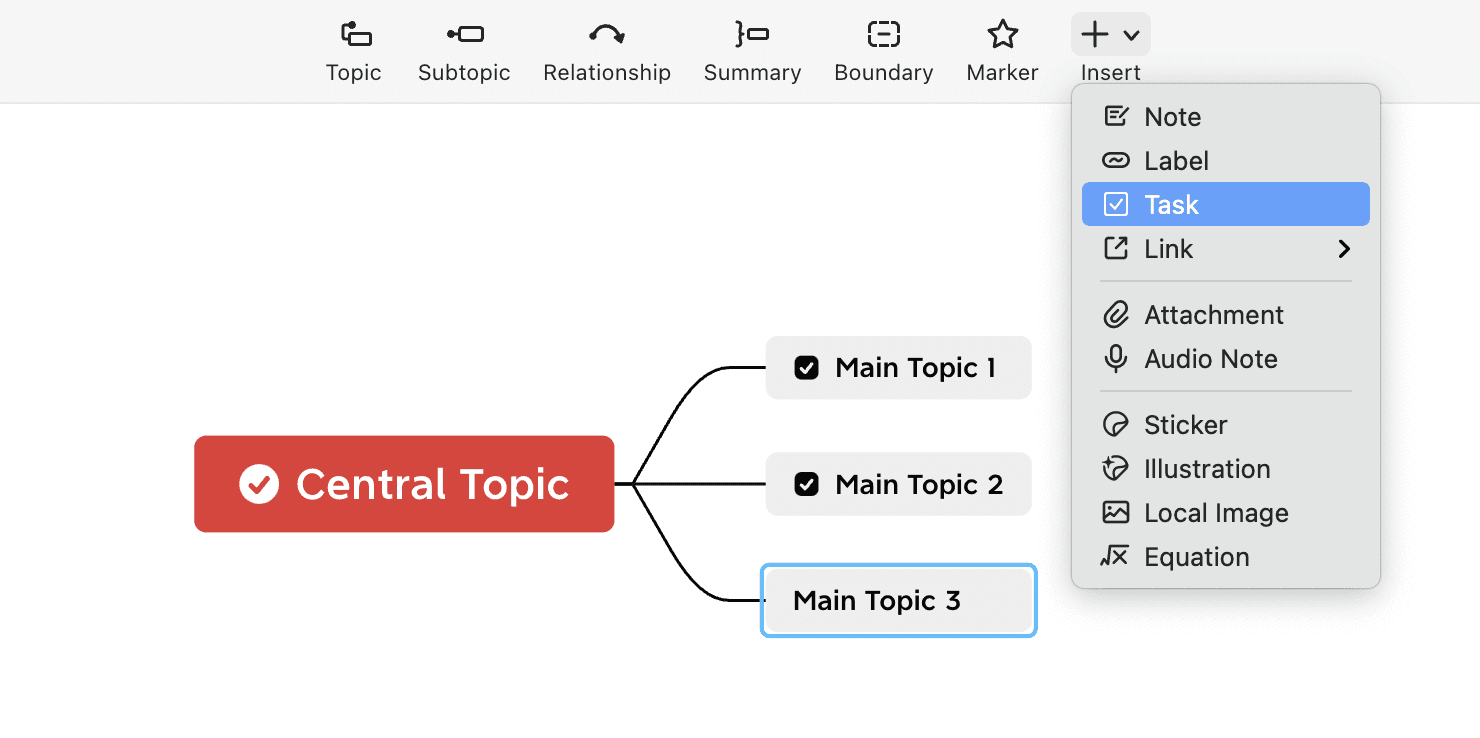
  • 方式2:单击插入 > 待办事项

待办事项管理界面

删除代办事项

选中待办事项,右键单击,删除

🎬 视频链接

突出显示 & 筛选

通过突出显示功能,可以根据已完成或未完成的待办事项来筛选主题,轻松定位。

🎬 视频链接

唤出突出显示功能

  • 右键选中需要突出显示的待办事项,选择突出显示已完成/未完成的任务

  • 页面左侧唤出导航面板,可以轻松浏览文档的不同部分。

  • 单击图标将突出显示相应的主题组。

  • 对导航面板所做的任何更改都会自动更新并显示在思维导图上,从而更容易浏览大量任务主题。