用户

手册

user-guide

用户

手册

A simple character with a round head and orange body holding an open book, focusing on reading.
user-guide
user-guide
Gray downward arrow icon.

快速了解

Gray downward arrow icon.

基础操作

Gray downward arrow icon.

插入主题元素

Gray downward arrow icon.

调整导图样式

Gray downward arrow icon.

调整全局格式

Gray downward arrow icon.

查看与显示

Gray downward arrow icon.

文件

Gray downward arrow icon.

分享

Gray downward arrow icon.

协作与同步

Gray downward arrow icon.

AI 功能

Gray downward arrow icon.

更多模式与功能

Gray downward arrow icon.

常见问题解答

导图样式

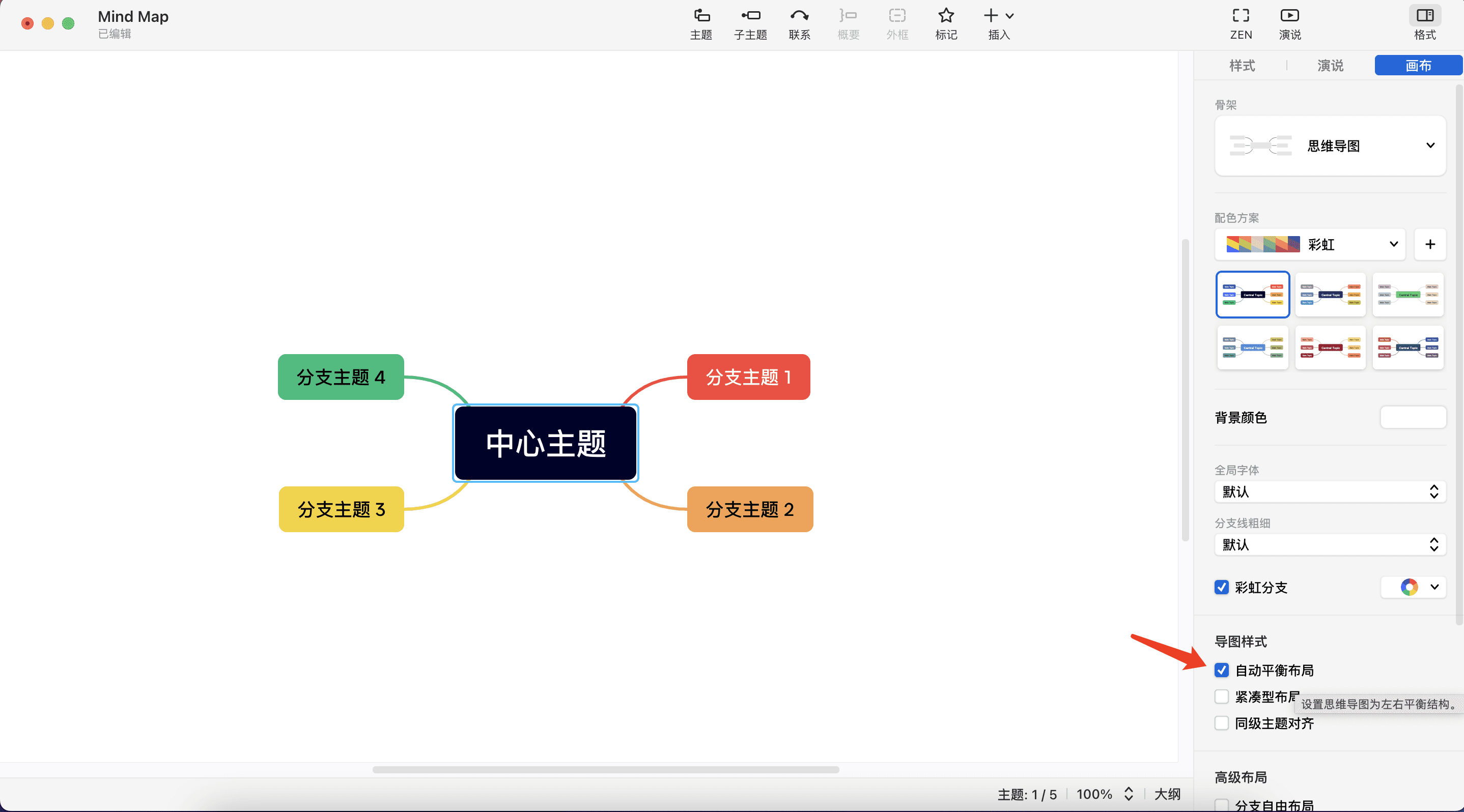
自动平衡布局

  • 功能:当脑图两侧内容高度不平衡时,此功能可以帮助自动调整,使结构平衡。

  • 如何使用:在脑图空白处单击右键,选择格式面板中的导图样式,然后选择自动平衡布局。如需撤销更改,可使用Ctrl+Z快捷键或取消勾选。

✏️ 注意

此功能仅适用于思维导图结构。

思维导图布局选项

紧凑型布局

  • 功能:使脑图的布局变得更加紧凑,减少空间占用。

  • 如何使用:在脑图空白处单击右键,打开格式面板,选择导图样式,然后勾选紧凑型布局。如需撤销更改,可使用Ctrl+Z快捷键或取消勾选。

同级主题对齐

  • 功能:让同级别的主题在视觉上保持长度一致,使脑图看起来更整洁。

  • 如何使用:在脑图空白处单击右键,访问格式面板中的导图样式,选择同级主题对齐。如需撤销更改,可使用Ctrl+Z快捷键或取消勾选。