用户

手册

user-guide

用户

手册

A simple character with a round head and orange body holding an open book, focusing on reading.
user-guide
user-guide
Gray downward arrow icon.

快速了解

Gray downward arrow icon.

基础操作

Gray downward arrow icon.

插入主题元素

Gray downward arrow icon.

调整导图样式

Gray downward arrow icon.

调整全局格式

Gray downward arrow icon.

查看与显示

Gray downward arrow icon.

文件

Gray downward arrow icon.

分享

Gray downward arrow icon.

协作与同步

Gray downward arrow icon.

AI 功能

Gray downward arrow icon.

更多模式与功能

Gray downward arrow icon.

常见问题解答

插入方程

操作方法

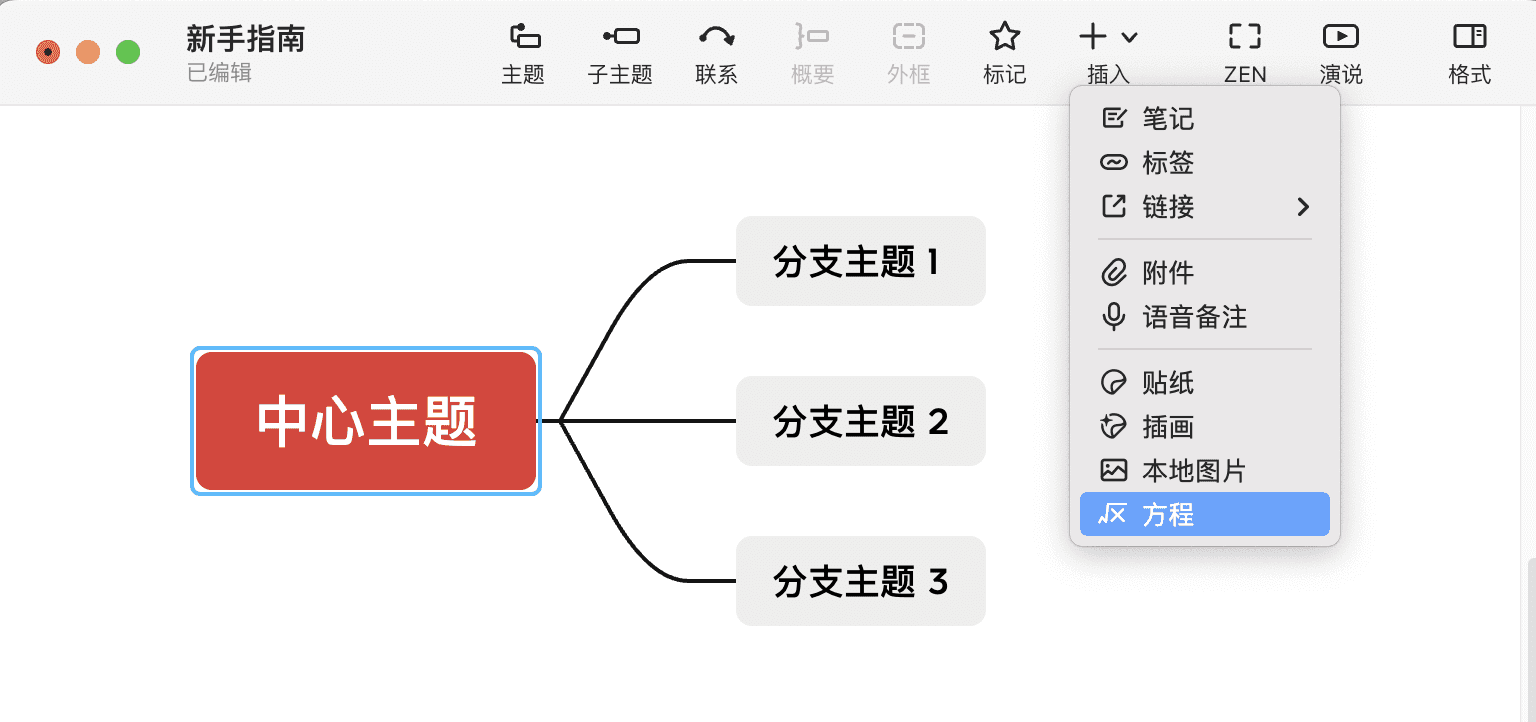
  • 选中主题,在工具栏中点击插入>方程

思维导图组件示例
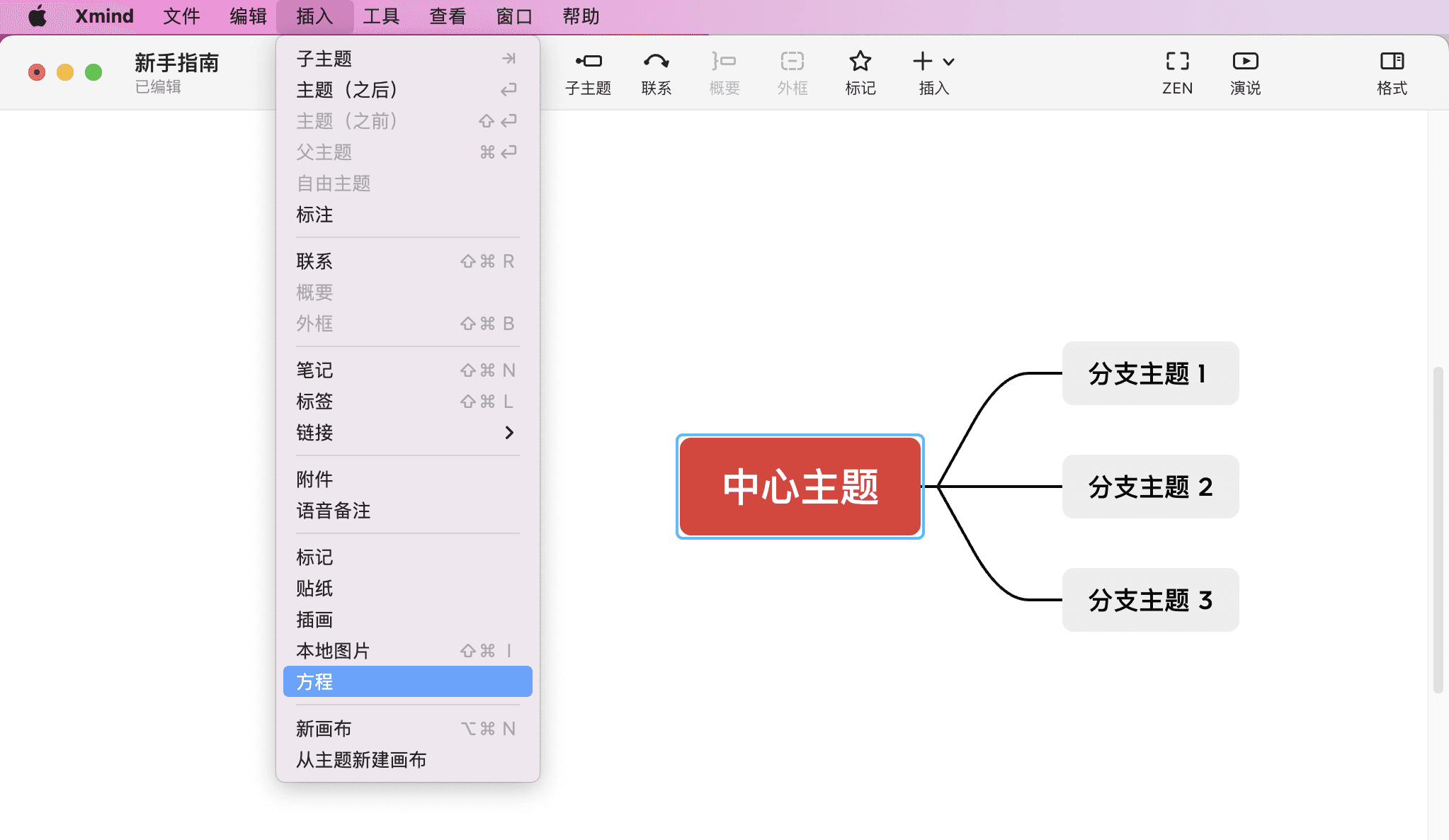
  • 或点击菜单栏中的插入,选择方程

思维导图界面截图

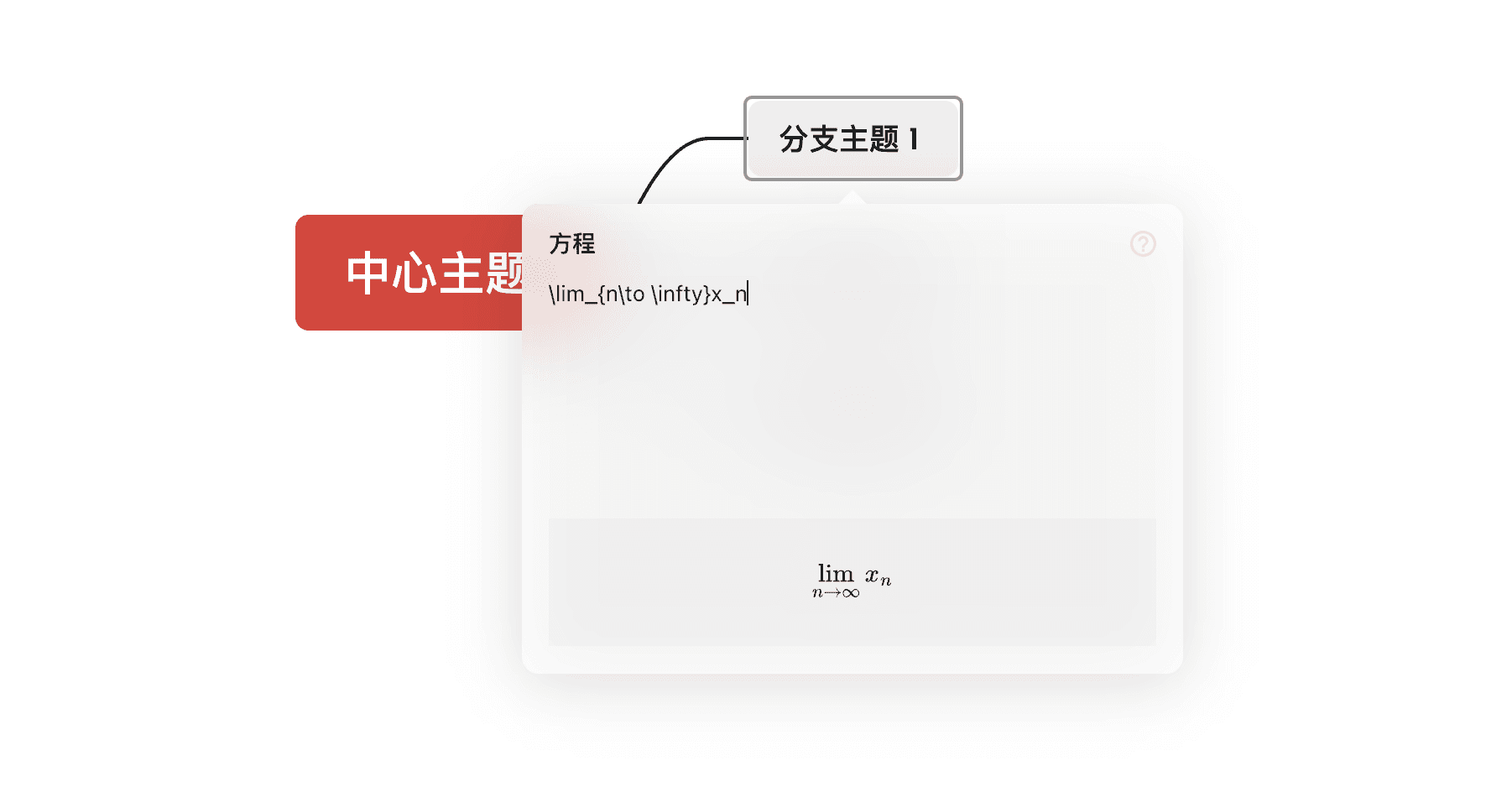
用 LaTeX 输入方程即可成功进行方程的插入。

数学公式输入界面

修改和调整方程

操作方法

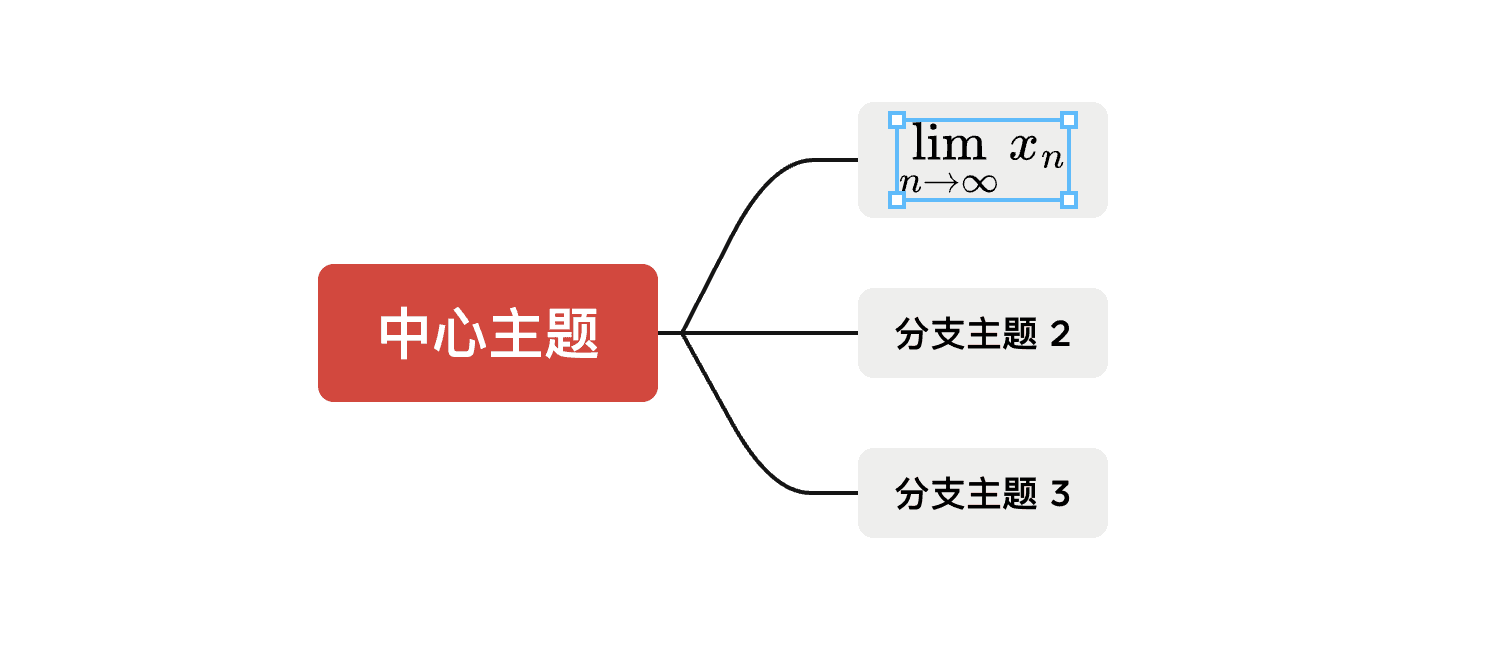
  • 双击插入后的方程,即可进入方程编辑页面,可进行修改。

  • 可以通过拖动方程的边框来调整插入方程的大小。

方程结构图示

:在方程输入面板中有Xmind 方程支持哪些命令?的攻略,在输入方程过程中可对照参考。